Tech Support Scam Recovery: Stopping Payments and Reporting Fake Support Callers
 Share:


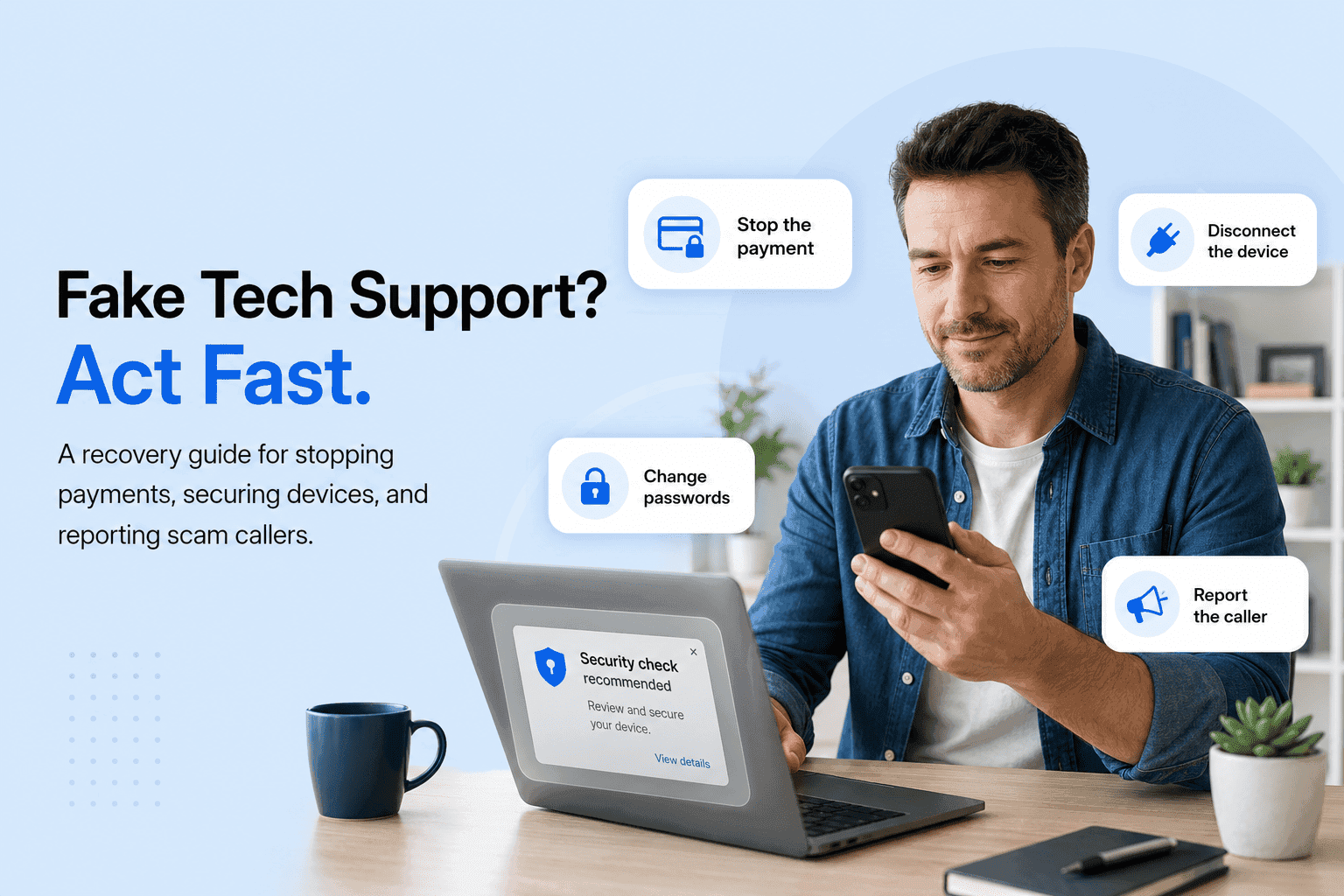
A tech support scam usually opens with a scare. A full-screen pop-up warns that your computer is infected, or the phone rings and a calm “technician” says they are with Microsoft or Apple and have found a problem on your device. By the time the story stops adding up, you may have already granted remote access or sent a payment. If that is where you are right now, the next hour matters more than almost anything else you will do.
This guide is about getting your money and your machine back, not about definitions. US consumers reported losing more than $12.5 billion to fraud in 2024, a 25% rise over the year before, according to the Federal Trade Commission, and tech support fraud remains one of the schemes that drains the most from the people least able to absorb it. Fast, methodical action changes outcomes. The steps below run in the order that protects you first.
If you do nothing else in the next hour, do these seven things:
Move within minutes. Call your bank or card issuer’s fraud line and ask them to stop or recall the payment before it settles.
Recovery odds depend heavily on how you paid. Card and bank transfers come back far more often than gift cards or crypto.
Disconnect the device from the internet and uninstall any remote access tool the caller had you install.
Change your passwords from a clean device and turn on two-factor authentication.
Report to the FTC at ReportFraud.ftc.gov and to the FBI at ic3.gov, and keep every reference number.
Microsoft, Apple, and Amazon never cold-call or pop up to warn you about a virus. That contact is the scam.
Never pay a second “recovery” fee. Anyone promising to get your money back for money upfront is a follow-up scam.
Not sure the call was a scam? Verify it in minutes with our free scam check.
What to Do Immediately After Falling for a Tech Support Scam
Work two fronts at once: the machine and the money. Cut the scammer’s remote access by disconnecting your device from the internet, then call your bank or card issuer’s fraud line to stop the payment. Save every screenshot, number, and receipt for your dispute and reports. The order matters, so start at the top.
Disconnect first, and do not let them talk you into “one more step.” Pull the ethernet cable or switch off Wi-Fi to end the remote session instantly. Close and, if you can, uninstall the remote access app the caller had you install. If you are still on the phone, hang up. A scammer who senses they are losing control will escalate, so stop engaging entirely rather than arguing.
Freeze the money before it settles
Call the fraud number printed on the back of your card or your statement, never a number the caller gave you. Tell them you were defrauded and ask them to stop, recall, or dispute the payment. This step is measured in minutes for wire transfers and gift cards, and in dispute-window days for cards and bank debits. If the payment has not left yet, a single fast call is sometimes the whole difference.
Preserve evidence for your dispute and report
Evidence turns a story into a case your bank and the authorities can act on. Capture screenshots of the pop-up or messages, the phone number and any callback number, transaction IDs, amounts and dates, the name of the remote tool used, and any emails or receipts. If gift cards were involved, keep the physical cards, the receipts, and the PINs. Store it all in one folder so you are not hunting for details later.
A quick red-flag scan can confirm what you are dealing with. Real support does not behave this way:
An unsolicited call, pop-up, or email is the first red flag.
A demand for payment in gift cards, wire, or cryptocurrency is a red flag.
A request to install remote access software is a red flag.
Manufactured urgency or fear (“act now or lose your files”) is a red flag.
A refusal to put anything in writing is a red flag.
Keep your case organized from the start. Log the incident and track your recovery in the Unscammed app.
How to Recover Money Paid to a Tech Support Scammer
Recovery depends almost entirely on how you paid and how fast you move. Credit and debit card charges can be disputed under federal rules, bank transfers may be recalled within hours, and gift cards or crypto are rarely reversible. Contact the payment provider immediately and file a formal dispute. The table further down maps realistic odds and timeframes by method.
Credit and debit card chargebacks (Regulation Z and Regulation E)
Cards give you the strongest recovery rights, so use them. For a credit card, Regulation Z lets you dispute a billing error or fraudulent charge, generally within 60 days of the statement. For a debit card, Regulation E covers unauthorized transactions and can trigger provisional credit while the bank investigates, with the best liability protection if you report within two business days. Call the fraud line, state that the charge was obtained by fraud, and ask to open a formal dispute. The FTC’s guidance on what to do if you were scammed breaks the process down by payment type.
Bank dispute process for wire transfers (wire recall vs. ACH reversal)
For wires, speed is everything. Call your bank and request a wire recall through the sending institution. A domestic wire caught before the funds are withdrawn can sometimes be clawed back the same day, while odds drop sharply once the receiving account empties. An ACH debit can be challenged as an unauthorized transaction, ideally within 24 to 60 hours. International wires are the hardest, since a SWIFT recall depends on a foreign bank’s cooperation. File an IC3 complaint in parallel, because the FBI’s Recovery Asset Team can move on fast wire cases.
Gift card refund options after a tech support scam payment
Call the gift card brand’s fraud line the moment you realize what happened. If the balance has not been redeemed, some brands can freeze it. Keep the physical card, the receipt, and the PIN, since the fraud team will need those numbers to trace and hold the funds. Report the scam to the FTC as well. The FTC’s gift card scam guidance lists the contact lines for the major brands.
Cryptocurrency, Zelle, and peer-to-peer payments (hardest to recover)
Be honest with yourself about the odds, then report anyway. Cryptocurrency transfers are effectively irreversible, though an exchange may freeze funds if you report within minutes. Zelle, Venmo, and Cash App payments you authorized yourself rarely reverse, so report the fraud in-app and to the linked bank at once. Reporting still matters: it aids tracing and warns others. See the FTC’s cryptocurrency scam guidance and the FBI IC3 cryptocurrency unit for where to file.
Recovery Odds and Process by Payment Method
| Payment method | Recovery likelihood | How recovery works and your first move | Act within | Realistic timeframe |
|---|---|---|---|---|
| Credit card | High | Chargeback under Reg Z; call the issuer’s fraud line and dispute the charge | Up to 60 days from the statement | 1 to 3 billing cycles |
| Debit card | Medium to high | Reg E error dispute; call the bank fraud line, provisional credit possible | 2 business days for best liability cap | About 10 business days |
| ACH bank transfer | Medium | Unauthorized-debit claim; call the bank and request a reversal | 24 to 60 hours ideal | Days to weeks |
| Domestic wire | Low to medium | Wire recall through the sending bank; call immediately | Minutes to hours, before withdrawal | Same day is best |
| International wire | Low | SWIFT recall needs foreign-bank cooperation; bank recall plus an IC3 report | Hours, before overseas withdrawal | Weeks, no guarantee |
| Zelle / P2P (Venmo, Cash App) | Low | Authorized transfers rarely reverse; report in-app and to your bank | Before the funds cash out | Often unrecoverable |
| Gift cards (Apple, Google, Amazon, Steam) | Low | Brand fraud team may freeze an unredeemed balance; keep card and receipt | Minutes to hours, before redemption | Same day if unredeemed |
| Cryptocurrency | Very low | Blockchain is irreversible; the exchange may freeze funds if you act fast | Minutes, before it leaves the exchange | Rarely recovered |
| Cash by courier or mail | Very low | Police and carrier interception only if not yet delivered | Before pickup or delivery | Rarely recovered |
Where to Report a Tech Support Scam to the FTC and FBI IC3
Report to two places first, then to everyone who touched the money. File with the FTC at ReportFraud.ftc.gov, which feeds the national fraud database, and with the FBI’s IC3 at ic3.gov, which reviews internet crime and can attempt a wire freeze. Then notify your bank, any gift card brand used, and the impersonated company. Keep every reference number.
Reporting to the FTC
The FTC report is the foundation of the paper trail. File at ReportFraud.ftc.gov with dates, amounts, phone numbers, and payment details. The FTC does not recover money case by case, but your report joins the data that law enforcement uses to spot patterns and build cases, and it gives you a documented record for your bank dispute.
Reporting to the FBI IC3 (and the Recovery Asset Team)
IC3 is the report most likely to help with an active wire. File at ic3.gov as soon as possible, with transaction IDs, wire details, and a clear timeline. For fast domestic wire cases, the IC3 Recovery Asset Team can work with banks to freeze funds before they disappear, which is exactly why same-day filing matters.
Local police report and your state Attorney General
A police report is often the missing piece your bank or insurer asks for. Call the non-emergency line, bring your evidence package, and get a report number. Filing a complaint with your state Attorney General adds state-level consumer enforcement and can help with local patterns, especially where an older or at-risk victim is involved.
Reporting the impersonated brand (Microsoft, Apple, Amazon)
No legitimate company cold-calls you about a virus. Microsoft, Apple, Amazon, and every other real firm confirm this: they do not make unsolicited calls or pop-ups claiming your device is infected and demanding payment or remote access. Reporting the impersonation to the real brand helps takedowns and protects the next target. The FTC’s tech support scam guidance explains how to spot and report these imposters.
Where and How to Report a Tech Support Scam
| Channel | Where to report | What it achieves | Info to have ready | Fund-recovery role |
|---|---|---|---|---|
| FTC | ReportFraud.ftc.gov | Feeds the law-enforcement database; no case-by-case recovery | Dates, amounts, phone numbers, payment details | Indirect (pattern building) |
| FBI IC3 | ic3.gov | Federal review; Recovery Asset Team may attempt a wire freeze | Transaction IDs, wire details, timeline | Direct for fast wire cases |
| Your bank / card issuer | Fraud line on your card or statement | The actual refund or chargeback mechanism | Transaction records, statements | Direct |
| Gift card brand | Brand’s official fraud line | Possible freeze of unredeemed funds | Card number, receipt, PIN | Direct if unredeemed |
| Impersonated company (Microsoft, Apple, Amazon) | Official brand report pages | Helps takedowns and protects others | Screenshots, numbers, emails | Indirect |
| State Attorney General | Your state AG consumer site | State-level enforcement | Full incident summary | Indirect |
| Local police | Non-emergency line | A report number for disputes and insurance | Evidence package | Supports disputes |
| CISA (work or org device) | cisa.gov reporting | National cyber awareness | Technical details | Indirect |
Reporting to several bodies at once is a lot when you are already shaken. See our full guide to safe reporting and avoiding recovery scams.
How to Remove Remote Access Tools Installed by a Tech Support Scammer
Assume the device is compromised until you prove otherwise. Disconnect it from the internet, uninstall the remote access tool the scammer had you install, run a reputable antimalware scan, and remove any unfamiliar accounts or browser extensions. When logins or banking were exposed during the session, a full factory reset is the safest reset.
Uninstalling AnyDesk, TeamViewer, and other remote access software
Remove the tool, then close the door it left open. Open your list of installed programs and uninstall AnyDesk, TeamViewer, LogMeIn, ScreenConnect, UltraViewer, or anything you do not recognize. Uninstalling alone is not always enough: revoke the access ID in AnyDesk, change the TeamViewer password, and reboot to clear any active session. Check startup items so nothing relaunches quietly.
How to detect malware left behind after a tech support scam call
Run a full scan, then look for what a scan can miss. Use a reputable antimalware tool for a complete scan, and watch for signs a scanner will not always flag: unfamiliar user accounts, new admin rights, odd network activity, unexpected browser extensions, and “security” apps you never installed. Keyloggers and remote access trojans are built to hide, so treat any credential you typed during the session as exposed.
When a full factory reset is the safer choice
If banking or passwords were on screen, reset the whole machine. A factory reset wipes hidden backdoors that piecemeal cleanup can leave behind. Back up personal files first, but not programs, then reset the operating system and reinstall only what you trust. For anyone who is not fully confident the device is clean, this is the more reliable path.
Remote Access Tools and Post-Scam Cleanup Actions
| Tool or artifact | What it does | How to detect and remove it | Risk if left | Priority |
|---|---|---|---|---|
| AnyDesk | Full remote-control session | Check installed programs and running processes; uninstall and revoke the access ID | Ongoing remote entry | Critical |
| TeamViewer | Remote control and file transfer | Review the connections log; uninstall and change the TeamViewer password | Unattended access | Critical |
| LogMeIn / ScreenConnect / UltraViewer | Persistent remote session | Check the program list and startup items; uninstall and reboot | Silent re-entry | Critical |
| Fake “antivirus” / scareware | Fake warnings and upsells | Spot the unknown security app and pop-ups; uninstall and run a reputable scan | Continued pop-ups and charges | High |
| Keylogger / RAT | Captures passwords and banking | Run antimalware; watch for odd network activity; consider a factory reset | Credential theft | Critical |
| Browser extensions | Redirects and data capture | Review the extension list; remove anything unfamiliar | Session hijacking | High |
| New user account / admin change | Backdoor access | Check user accounts and admin rights; remove the account and reset the admin password | Persistent backdoor | Critical |
| Saved remote credentials | Lets them reconnect later | Review the saved-password manager; reset every reused password | Account takeover | High |
Identity Protection Steps After Sharing Your Screen With Fake Tech Support
Treat anything visible during the session as exposed. Change your important passwords from a clean device, turn on two-factor authentication, and place a fraud alert or credit freeze with the three bureaus. Then watch your bank, email, and credit for unfamiliar activity over the following weeks. Assuming exposure is safer than hoping the scammer looked away.
What scammers can do after a remote session or screen share
A remote session is a window into everything you had open. During screen sharing, a scammer may have seen logins, banking sessions, saved passwords, and personal files, and could have installed malware or captured keystrokes. Some run a fake “refund” or overpayment routine to pull a second payment. Once you accept that they saw more than you intended, the protective steps below make obvious sense.
Changing passwords and enabling two-factor authentication from a clean device
Reset from a device the scammer never touched. Start with email and banking, since those unlock everything else, then work through any account that reused an exposed password. Use a unique password for each one and turn on two-factor authentication so a leaked password alone cannot get anyone in. Typing new credentials into a machine that may still be watched only hands them the new keys.
Placing a fraud alert or credit freeze
A credit freeze blocks new accounts from being opened in your name. Place one with all three bureaus, Equifax, Experian, and TransUnion, since a freeze must be set at each separately. A fraud alert is lighter and only needs one bureau, which then notifies the others. If personal data was exposed, start a recovery plan at IdentityTheft.gov, and read the FTC’s guide to credit freezes and fraud alerts to choose the right tool.
Was a company device or account involved? See our business fraud protection resources.
Tech Support Scam Recovery Success Rates by Payment Method Used
There are no guarantees, but the pattern is consistent. Card and bank-transfer victims who report inside the dispute window recover money far more often than gift card or crypto victims, and after payment method, speed is the single biggest factor. Outcomes still vary case by case, so treat the ranges in the table above as realistic guidance rather than promises.
The scale of the problem underlines why speed pays. The FBI’s Internet Crime Complaint Center recorded a record $16.6 billion in reported internet-crime losses in 2024, and adults 60 and older reported the highest losses of any age group, a pattern the FBI IC3 and the AARP Fraud Watch Network both track closely for tech support fraud specifically. Older adults are targeted precisely because they are more likely to answer an unknown call and to trust an official-sounding voice.
Read the odds by rail, not by hope. A credit card charge reported the same day is a strong candidate for a chargeback. A wire caught before withdrawal has a real chance. A redeemed gift card or a sent crypto payment is a long shot, though reporting still helps trace the money and warn others. Knowing where your payment sits lets you spend your energy where it can actually change the result.
Recovery Services That Help Tech Support Scam Victims Report to Authorities
Legitimate help documents your case and guides your reports; it never charges an upfront fee to guarantee your money back. The right service helps you organize evidence, file your bank dispute correctly, and report to the FTC and IC3. Anyone who promises full recovery in exchange for a payment is running a recovery scam, a common second hit on people who were just defrauded.
How to tell a legitimate recovery resource from a recovery scam
The clearest tell is the upfront fee and the guarantee. Fraudsters buy lists of prior victims and circle back promising to recover lost funds for a fee, a “tax,” gift cards, or crypto. No legitimate agency or service asks you to pay to get your money back, and none can guarantee a result. If someone contacts you out of the blue with a recovery offer, treat it as the next scam and report it. The FTC’s guidance on refund and recovery scams lays out the pattern.
How Unscammed helps you verify, document, and report
We focus on the two things that move your case forward: verification and documentation. Unscammed helps you confirm whether a call, pop-up, or website is a scam, organize your evidence, and route your reports to the right agencies, without upfront recovery fees or empty guarantees. That is the honest version of recovery help.
Want to know who is behind this guidance? Learn how Unscammed helps victims of online financial fraud.
Expert Viewpoint: The First Hour Decides Your Recovery Odds
In our case reviews at Unscammed, the gap between recovering something and recovering nothing is usually measured in hours. Speed beats everything else. Wire and gift card losses are stopped, if at all, within minutes; card and ACH disputes live inside dispute-window days. Victims who called their bank within the first hour and filed an IC3 complaint the same day consistently fared better than those who waited a day to act.
Run the response on two fronts at the same time. One person works the money by calling the bank and filing reports, while another works the machine by disconnecting and cleaning it. And hold one line firmly: no legitimate party guarantees recovery for an upfront fee, so any such offer is a second scam. Act fast, report everything, and verify before you trust the next caller.
The safest next move is to verify and report. Check any suspicious call, pop-up, or website now with our free scam verification tool.
Tech Support Scam Recovery FAQ
Can I get my money back from a tech support scammer?
Sometimes, and it depends mostly on how you paid. Credit card, debit card, and bank transfers can often be disputed or recalled if you act fast. Gift cards, cryptocurrency, and peer-to-peer payments are rarely recoverable. Contact your payment provider immediately and report to the FTC and FBI IC3.
How quickly do I need to act after a tech support scam?
Immediately. Wire transfers and gift cards can sometimes be stopped within minutes to hours before the funds are withdrawn or redeemed. Card and bank disputes have longer windows, often up to 60 days, but your odds fall the longer you wait. Call your bank’s fraud line first.
Where do I report a tech support scam?
Report to the FTC at ReportFraud.ftc.gov and to the FBI at ic3.gov. Also notify your bank or card issuer to dispute payments, the gift card brand if one was used, and the impersonated company. Keep every reference number for your disputes.
Will Microsoft or Apple ever call me about a virus?
No. Microsoft, Apple, Amazon, and other legitimate companies never make unsolicited calls or pop-ups claiming your device is infected and asking for payment or remote access. Any such contact is a tech support scam. Hang up and do not call the number shown.
The scammer had remote access to my computer. What should I do?
Disconnect from the internet, then uninstall any remote access software they had you install, such as AnyDesk or TeamViewer. Run a reputable antimalware scan, remove unknown accounts or extensions, and change your passwords from a different, clean device. Consider a factory reset if you are unsure.
Can I get a refund on gift cards I bought for a scammer?
Possibly, if you act fast. Call the gift card brand’s fraud line right away and report the scam. If the card has not been redeemed, some brands can freeze the balance. Keep the physical card, the receipt, and any PIN. Also report to the FTC.
Will my bank refund a tech support scam?
It depends on the payment type and on whether the charge was authorized. Unauthorized card and debit transactions are often refundable under federal rules. Payments you sent yourself, such as wires or Zelle, are harder to recover, though banks may attempt a recall if you report within hours.
What can scammers do after I shared my screen?
They may have viewed logins, banking sessions, and personal files, and could have installed malware or captured passwords. Assume exposure. Change all important passwords from a clean device, enable two-factor authentication, monitor your accounts, and consider a credit freeze to prevent identity theft.
Is it worth paying a recovery service to get my money back?
Be very cautious. Legitimate help focuses on documenting your case and reporting to your bank and authorities, not upfront fees. Anyone guaranteeing full recovery for a payment is almost always running a follow-up recovery scam. Report offers like these to the FTC.
How successful is tech support scam recovery overall?
Outcomes vary widely by payment method and speed. Card and bank-transfer victims who report within the dispute window recover money far more often than gift card or crypto victims. Fast reporting to your bank and to IC3 gives you the best realistic chance.
Recovery outcomes vary by case, and nothing here is a guarantee. If a scam has hit you or someone you care for, the agencies and steps above are the fastest legitimate path forward.
Featured Articles