
Grandparent Scam: How It Works and How to Protect Your Family
A caller claims to be a grandchild in trouble and needs money right now. Learn how the grandparent scam works, how to verify the call, and where to report it.
Published: Sep 9, 2026A breach at a company you use can expose your name, password or payment details without you knowing. Learn how data breaches happen and how to protect your information.
 Share:


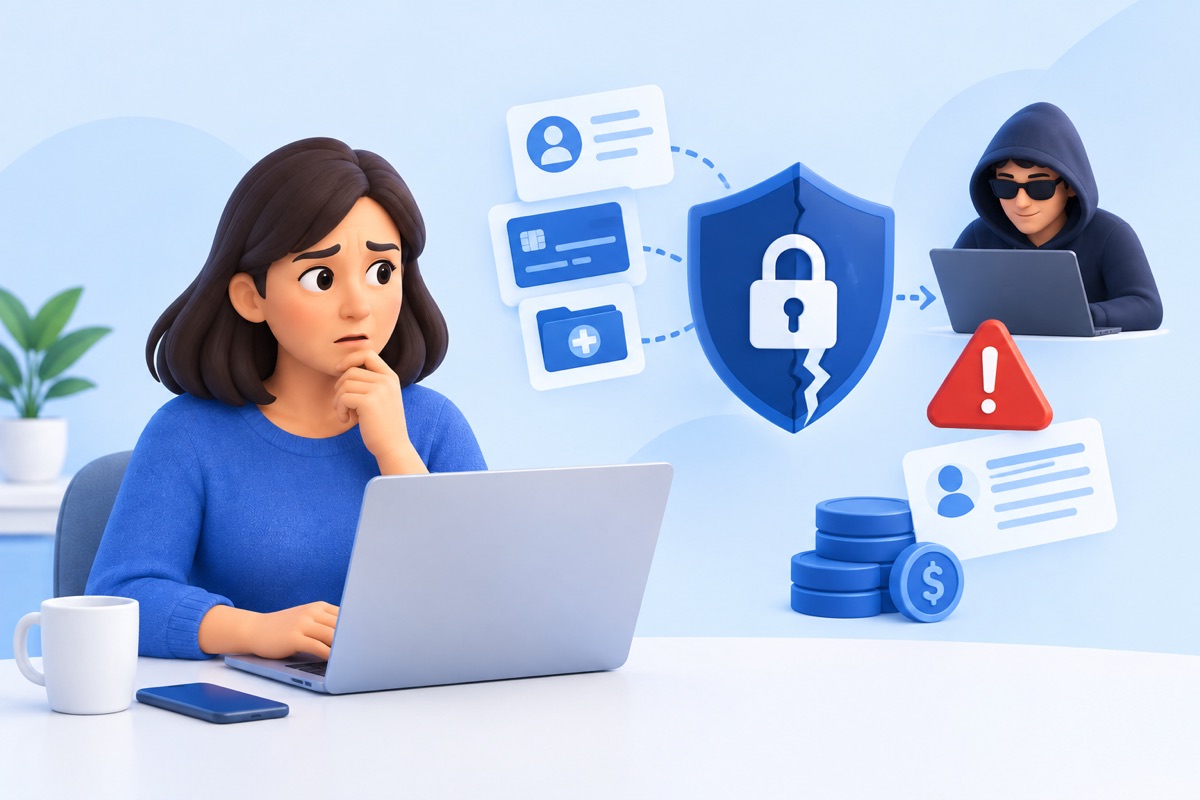
You don't have to be hacked to have your personal information exposed. When a company you use has a data breach, your name, email address, password, or payment details can be exposed without you knowing about it.
These incidents are common, and the costs continue to rise. IBM's 2026 Cost of a Data Breach Report found that the global average cost of a breach reached $4.99 million, up 12% from the year before. A breach can happen because of a cyberattack, but it can also result from a lost device, an employee mistake, or a weak password.
In this guide, we'll explain what a data breach is, how it usually happens, and what you can do to protect your information.
A data breach occurs when private or protected information is accessed, stolen, or exposed without authorization. This can include names, passwords, financial details, or medical records. It can result from hacking, human error, or lost devices, and often leads to serious risks like identity theft or financial loss.
Data breaches can happen through stolen credentials, software vulnerabilities, phishing, malware, human mistakes, or lost devices. The scale of the problem is significant. The Identity Theft Resource Center tracked 3,322 data compromises in the U.S. in 2025, the highest number in its tracking history.
The methods behind these incidents vary, but some occur more often than others.
Stolen usernames and passwords can give attackers access to company accounts. Reusing the same password across accounts can also increase the damage.
A fake email, text, or website can trick someone into sharing passwords or other sensitive information. The FBI's IC3 received 191,561 phishing complaints in 2025, with reported losses climbing to $215.8 million, up sharply from $70 million the year before.
Malware can enter through a harmful attachment, download, link, or website. Once installed, it can give attackers access to files, accounts, and other information. The FBI's IC3 report lists ransomware, a type of malware, as one of the top cyber threats reported in 2025, with 3,611 complaints and more than $32 million in losses.
Attackers can exploit weaknesses in software and online systems to gain unauthorized access. The FTC advises businesses to fix security vulnerabilities that could lead to a breach.
Data can also be exposed by someone inside an organization. The FTC notes that breaches can involve an insider stealing customer information or accidentally exposing it.
A lost laptop, phone, or other device can expose information stored on it. The risk is higher when sensitive data is not properly protected.
DoS and DDoS attacks flood systems with traffic to disrupt access. These attacks mainly affect availability rather than directly exposing personal information. The FBI's IC3 report tracks DoS/DDoS as one of the recurring cyber threats reported by critical infrastructure organizations each year.
Once attackers get hold of stolen data, they usually do one of three things with it:
What happens next depends on who was affected and what type of data was taken.
For individuals, stolen data can lead to identity theft, unauthorized charges, or someone else opening accounts in their name.
For businesses, a breach often means direct financial loss, legal penalties, and a hit to customer trust that can last long after the technical issue is fixed.
Governments face a different risk: exposed data can affect national security, not just individual privacy.
Some industries face more risk than others. Attackers go after the ones holding data they can actually use or resell, so the targeting isn't random. Here's a breakdown of who gets hit most, and the reasoning behind it.
Hospitals and clinics hold some of the most sensitive information there is: medical records, insurance numbers, and other personal details. Unlike a stolen credit card number, this information can't just be reissued once it's out. In 2025, healthcare and public health was the most targeted critical infrastructure sector tracked by the FBI, with 182 data breaches reported to the Internet Crime Complaint Center, more than any other sector.
Banks and insurance companies handle money directly, which keeps them a steady target for attackers. The FBI's 2025 report ranked financial services as the second most targeted critical infrastructure sector, just behind healthcare, with 447 total cyber events reported.
Schools and universities store student, parent, and staff records across many different systems. The more systems in use, the more chances there are for one of them to be left unsecured.
Card payment information passes through online stores every day, and attacks tend to pick up during high-traffic periods like the holiday shopping season, when the sheer number of transactions makes fraud easier to miss. According to the FTC, online shopping scams, many linked to fake retail sites, were the most commonly reported scam type among consumers under 80 in 2025.
Government systems hold citizen records and, in some cases, public safety data. A breach here can go beyond individual harm and raise national security concerns, depending on what's exposed. The FBI listed government facilities among the critical infrastructure sectors hit hardest by the top ransomware variants reported in 2025.
Recent incidents show how data breaches actually happen in practice, from stolen credentials to unpatched software, and the scale of damage they can cause to companies and the people affected.
Hackers exploited a flaw in Canvas's "Free-For-Teacher" account program, a learning platform used by schools worldwide. The attackers claimed to have stolen data tied to roughly 275 million individuals across nearly 9,000 schools, including names, email addresses, student ID numbers, and private teacher-student messages. Instructure took Canvas offline and later reached an agreement with the attackers, who confirmed the stolen data was destroyed.
Aura, a company that sells identity theft protection and credit monitoring, was breached after an employee account was compromised through a targeted phishing call. About 900,000 records were exposed, including names, home addresses, phone numbers, and email addresses.
A ransomware group gained access to Change Healthcare's network using stolen login credentials on a remote access portal that didn't have multi-factor authentication turned on. The attackers stole protected health information before encrypting files. Change Healthcare's final report to the U.S. Department of Health and Human Services put the number of individuals affected at 192.7 million, the largest healthcare data breach ever reported in the United States.
An attacker used a compromised employee password to access PowerSchool's customer support portal, then used that access to reach the company's Student Information System, a database used by thousands of K-12 schools across North America. The breach exposed the personal records of an estimated 62 million students and teachers, including names, Social Security numbers, and medical information. PowerSchool paid the attacker to delete the stolen data, but school districts later received new extortion demands using the same data.
There's no way to control what every company does with your information once you hand it over, but there are a number of habits that lower your own exposure. None of these require technical expertise, just some consistency.
Length matters more than special characters. A twelve-character phrase is generally harder to crack than an eight-character password stuffed with symbols. The bigger risk, though, isn't weak passwords, it's reused ones. If the same password protects your email, your bank, and a random shopping site, then a breach at that shopping site can expose all three.
A password manager solves most of this on its own: it creates a different, complex password for every account and stores them, so remembering dozens of passwords is no longer necessary. Most password managers also alert you if a stored password has appeared in a known breach.
This adds a code, sent to your phone or generated by an app, that's required alongside your password when logging in. It takes about a minute to set up per account and blocks the large majority of unauthorized login attempts, even when a password has already been stolen.
Email providers, banks, and most major platforms support it now, usually found under account security settings. Some services also offer physical security keys or authenticator apps instead of text codes, which are generally considered more secure since text messages can occasionally be intercepted.
Updates aren't only about new features. Most patch known security flaws that attackers are already aware of and actively trying to use. A device running outdated software is effectively running with known doors left unlocked. Turning on automatic updates for phones, computers, browsers, and apps removes the need to remember to check manually. This matters most for software connected to the internet, since that's what attackers can reach remotely.
Phishing messages tend to follow a similar pattern: a sense of urgency, a link to click, and a sender address that looks close to legitimate but isn't quite right. Some practical checks:
Before entering payment details or personal information, check for the padlock icon in the browser's address bar. This indicates the connection is encrypted, meaning data sent between your device and the site is harder to intercept. Most modern browsers will also display a direct warning, such as "not secure," when a site lacks this protection. That warning is worth taking seriously rather than dismissing.
Personal details posted publicly, such as a birthdate, hometown, or pet's name, can sometimes be used to answer security questions or guess password recovery prompts. They can also be used to make phishing messages more convincing, since attackers can reference real details about you. Reviewing privacy settings on social media every few months, and skipping optional fields on forms from unfamiliar websites, reduces how much of this information is available in the first place.
A backup is only useful if it exists and can actually be restored when needed. Keep a separate copy of important files on an external drive or a trusted cloud service as part of your data loss prevention strategy. This can protect your files from theft, hardware failure, or ransomware that can lock your data and demand payment for access. Scheduling backups to run automatically removes the need to remember to do it manually, and periodically testing whether a backup can be restored confirms it's actually working.
Fraud is generally easier to reverse the sooner it's noticed. Making a habit of reviewing bank and credit card statements, rather than skimming past them, helps catch unfamiliar charges early. Many banks and card issuers also offer instant transaction alerts by text or app notification, which can flag a suspicious charge within minutes instead of at the end of a billing cycle.
Organizations that store customer data carry responsibilities beyond what individuals can control on their own:
Data broker sites collect and sell personal information such as your name, address, and phone number, information scammers can use to target you. You can request removal from each site yourself or contact Unscammed. We automate the removal process, submitting requests across multiple broker sites on your behalf.
If a company notifies you that your data was exposed, quick action limits the damage. The steps below cover both prevention of further loss and what to do if money has already been taken.
| Step | What to Do | Why It Matters |
|---|---|---|
| Change passwords | Update the password for the affected account first, then any other account using the same or similar password. | Stops an attacker from reusing a leaked password elsewhere. |
| Turn on MFA (Multi-Factor Authentication) | Enable multi-factor authentication on your important accounts if not already active. | Adds a second barrier even if a password is compromised. |
| Monitor accounts | Check bank and credit card statements closely for unfamiliar transactions. | Early detection limits how much money can be taken. |
| Contact your bank | If your banking or payment details were exposed, contact your bank and secure your account. Major U.S. banks include Bank of America, Chase, Wells Fargo, and Citibank. | This makes it harder for scammers to find and use your information. |
| Watch for follow-up scams | Be cautious of emails or calls referencing the breach, asking for personal details or payment. | Attackers often use breach news to run fake "verification" scams. |
| Use free monitoring offers | Sign up for any credit monitoring or identity protection the breached company provides. | Gives ongoing alerts for suspicious activity at no cost. |
| Report an actual scam | If money has already been lost, contact Unscammed. We can help file reports to the FTC, FBI/IC3, and your bank. | Formal reporting is often required before a bank will investigate or reverse a transaction. |
Data breaches are common now, but most of the risk comes down to a few things: weak passwords, missed updates, and falling for a convincing phishing message. Strong passwords, MFA, and a bit of caution online go a long way toward keeping your information safe.
If a scam ever costs you money, Unscammed helps you report it to the FTC, FBI, and your bank on your behalf, with no paperwork headaches and no guessing which agency to contact. Thousands have already used us to report scams. Reporting quickly gives your bank and investigators the best chance to act. Contact us today.
It can be either, which is exactly why these emails are dangerous. Legitimate breach notifications never ask you to click a link and enter your password. If you get one, don't click anything in the email. Instead, go directly to the company's official website or app and check your account settings or security notices from there.
A weak password warning just means it's easy to guess. A leaked password means it has actually shown up in a real breach dataset. Sites like Have I Been Pwned check your email or password against known breach records and tell you which specific incident it came from, if any.
Data brokers collect personal details from sources like public records, loyalty programs, browsing activity, and other companies that sell customer data. Most people never directly gave a data broker their information; it was pieced together from multiple places without a single obvious starting point. This is also why breaches at data brokers tend to expose unusually complete profiles.
Yes. Names, email addresses, and account IDs alone are often enough for attackers to run convincing phishing attempts or attempt account takeovers elsewhere. "No financial data" doesn't mean no risk; it just narrows what kind of follow-up scam to watch for.
Start with the accounts that matter most: email, banking, and anything tied to payment methods. Change those first, since email is usually the recovery point for everything else. From there, a password manager can gradually replace the rest without you having to fix all of them in one sitting.
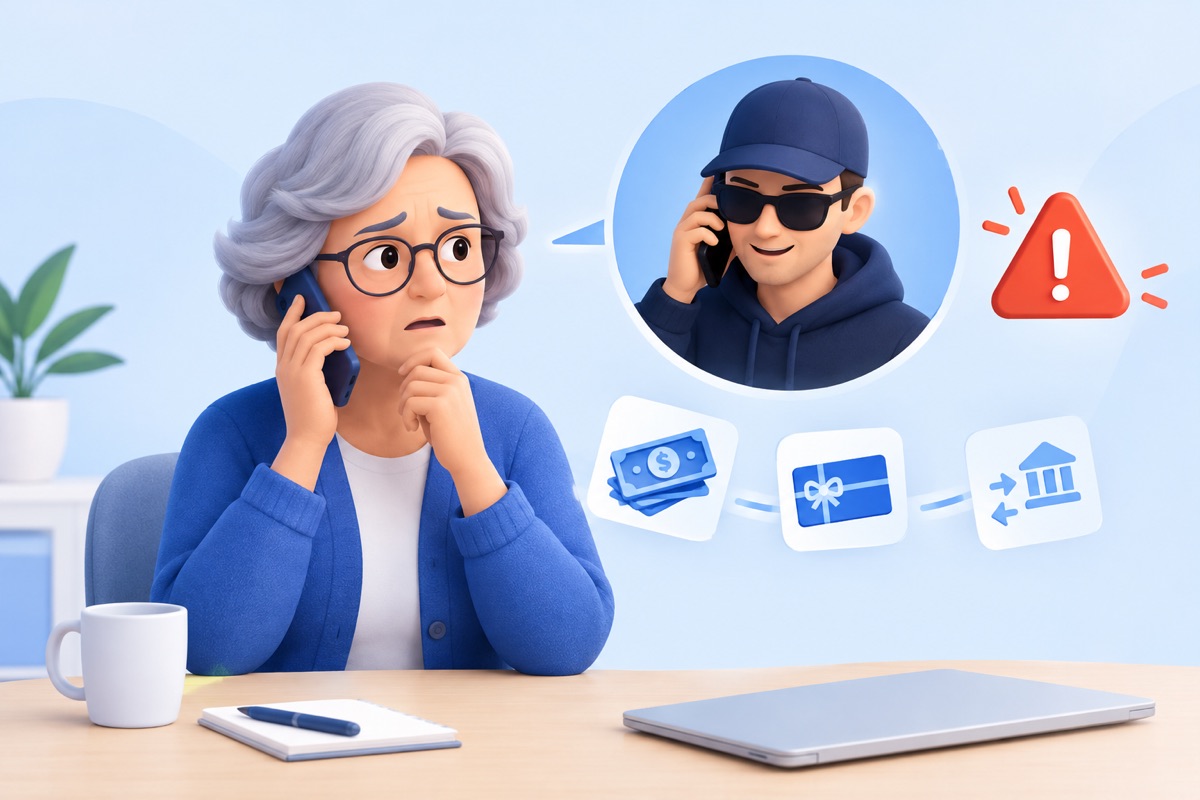
A caller claims to be a grandchild in trouble and needs money right now. Learn how the grandparent scam works, how to verify the call, and where to report it.
Published: Sep 9, 2026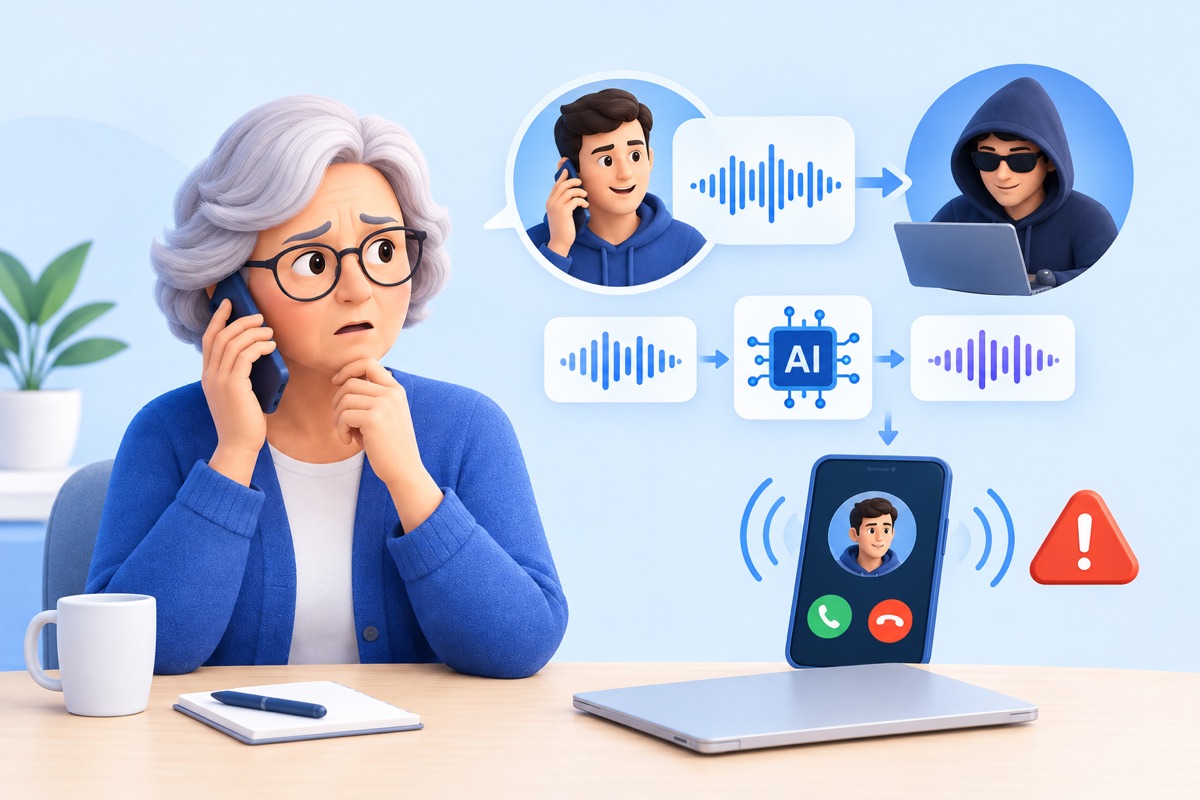
Scammers can clone a parent, child or spouse from a few seconds of audio. Learn how AI voice cloning scams work, how to spot a fake call, and how to protect your family.
Published: Oct 14, 2026