Cash App Fraud Report: Dispute Steps and Refund Timelines
You sent money on Cash App and something went wrong. Maybe the seller disappeared. Maybe you spotted a payment you never made. Maybe someone got into your account. Whatever happened, the next steps depend on what kind of fraud you are dealing with: an unauthorized transaction, an account takeover, a Cash App Card charge, an authorized payment to a scammer, a goods-or-services scam, or a payment funded by a linked bank account or card.
 Share:


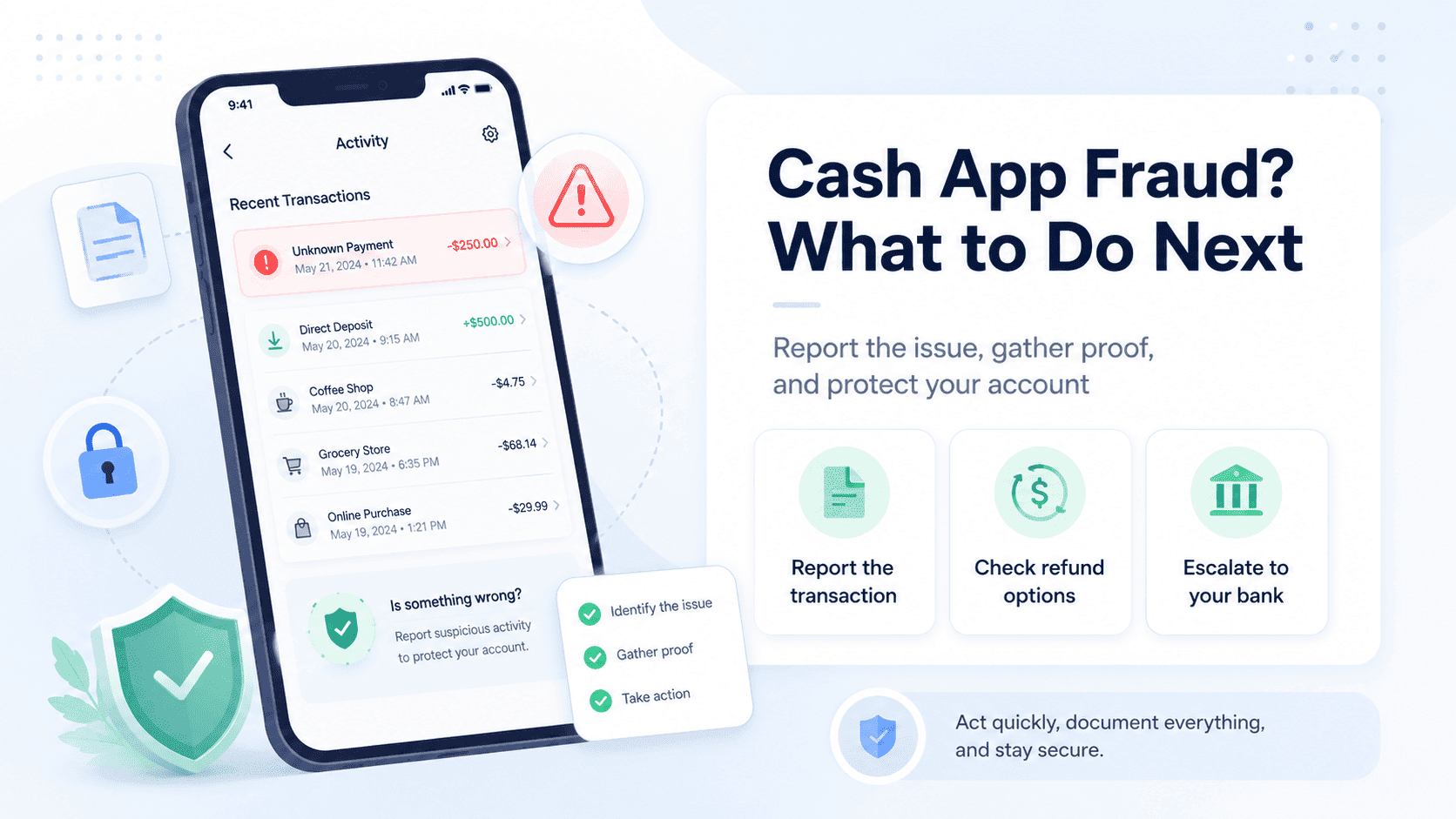
This guide covers how to report fraud on Cash App from start to finish, including the official support channels, what evidence to collect, when to escalate to your bank, and where to file externally. No fake phone numbers, no unrealistic promises.
Before you contact support or respond to anyone claiming they can recover your money, use Unscammed to check the scam details and organize your evidence.
Review your scam evidence with Unscammed
Can you cancel a Cash App payment after sending it?
Usually no. Cash App payments are instant and usually cannot be canceled, though you can check the Activity feed for a cancel option if the payment has not completed yet.
If the payment is already complete, recovery may depend on the recipient refunding it voluntarily, Cash App reviewing the case, or a dispute through your bank or card issuer if the payment was funded externally. Do not count on cancellation as your plan. Treat any completed payment as something you will need to dispute or report, not reverse with a tap.
How to report fraud on Cash App: the full process
Here is the order. Start at the top and work down.
Stop communicating with the scammer. Do not send more money. Do not pay any “unlock” fee, “verification” charge, or “refund processing” cost. Every additional payment deepens the loss.
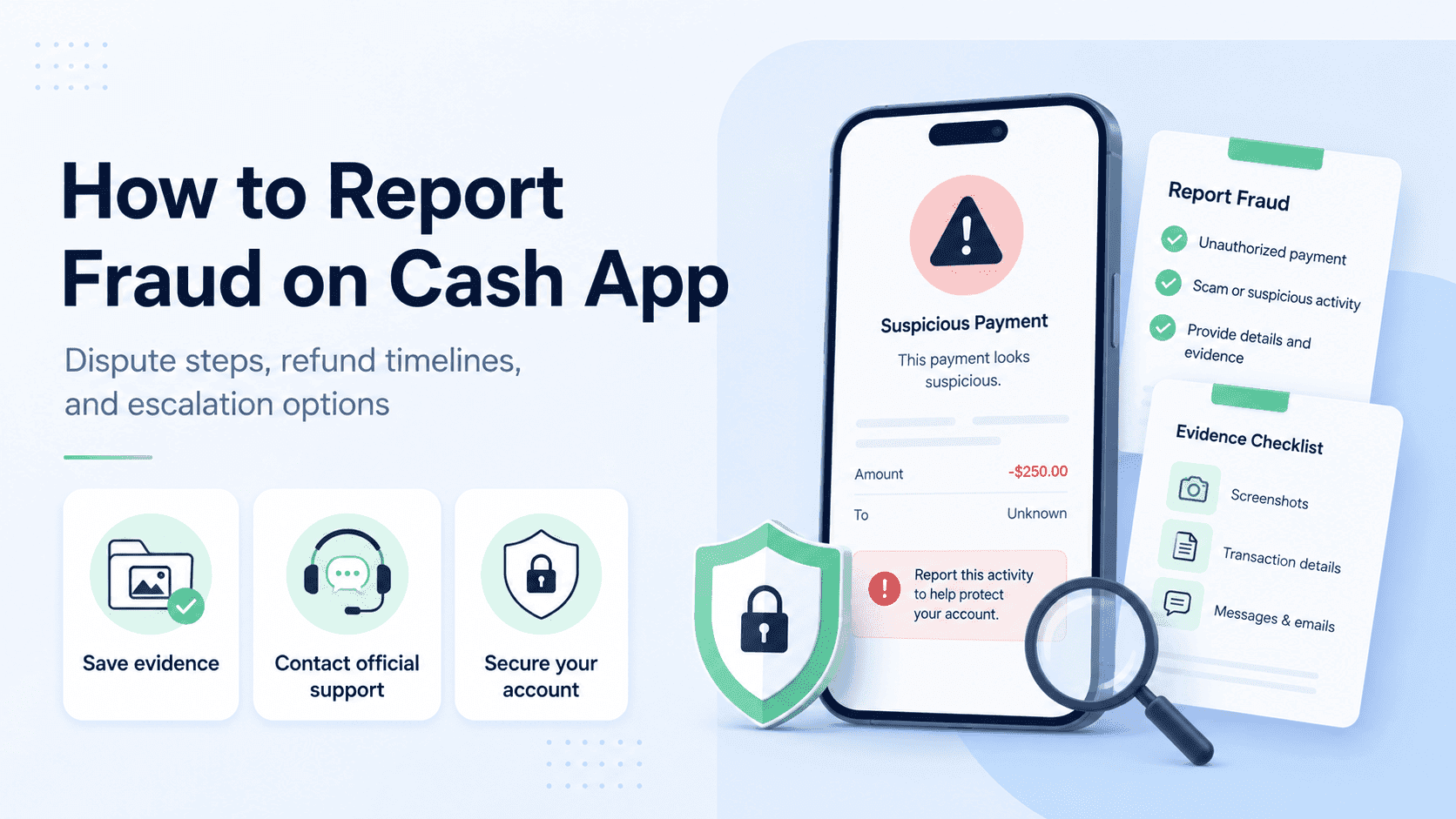
Screenshot the transaction and all messages. Capture the $Cashtag, payment amount, date, time, payment note, profile details, chat messages, texts, emails, product listings, and any links or websites the scammer used. Do this before anything gets deleted or changed.
Contact Cash App Support through official channels only. Use the in-app support option or call Cash App’s official number. More on that in the support section below.
Secure your Cash App account. Change your PIN, enable Security Lock, and review linked cards and bank accounts.
Contact your bank or card issuer if the payment was funded by a linked debit card, credit card, or bank account.
Report the scam to the FTC and IC3 where relevant.
Watch for fake recovery agents. Anyone promising to get your money back for an upfront fee is running the second scam.
Use only official Cash App support channels
Cash App lists 1 (800) 969-1940 as its official support number, with phone support available every day from 8 AM to 9:30 PM ET. Cash App’s Terms state this is the only phone number available for Cash App support.
You can also contact support through in-app chat, which Cash App says is available anytime in the app.
Do not call Cash App numbers from Google ads, Reddit replies, social media comments, screenshots, or pop-ups. Use only Cash App’s official app, cash.app/help, or the number listed in Cash App’s Terms. Fake support numbers are one of the most common ways people get scammed a second time.
Cash App scam reporting steps for unauthorized transactions
An unauthorized transaction is different from a payment you sent willingly, even if you were deceived into sending it. The distinction matters because it affects your dispute rights and changes how to report fraud on Cash App effectively.
What counts as unauthorized activity?
A payment you did not make.
Someone accessing your phone or Cash App account without your permission.
A Cash App Card transaction you did not authorize.
Suspicious login activity or account changes.
Unknown linked cards or bank accounts appearing on your profile.
What to do immediately
Change your Cash App PIN.
Change the password for the email connected to Cash App.
Enable Security Lock, which requires a fingerprint, face scan, or PIN before someone can open Cash App or send payments.
Remove unknown devices or suspicious access where possible.
Lock or disable the Cash App Card if card fraud is involved.
Contact Cash App Support.
Contact your bank or card issuer if linked funding sources were affected.
If you believe the transaction was unauthorized, report it immediately. Cash App’s Terms say delay can affect your liability, and reporting within 2 business days can limit your loss to no more than $50 in certain unauthorized-transaction scenarios. The longer you wait, the more risk you carry.
How to dispute a Cash App transaction
Dispute options depend on what happened and how you paid.
| Scenario | What to do |
|---|---|
| Unauthorized Cash App payment | Contact Cash App Support immediately and secure the account |
| Cash App Card purchase issue | File a Cash App Card dispute through support |
| Payment to scammer (authorized) | Report the scam to Cash App, but recovery may be harder |
| Payment funded by bank or card | Contact the bank or card issuer and ask what dispute rights apply |
| Fake support or recovery scam | Stop contact, screenshot everything, and report it |
| Identity theft connected to Cash App | Report through official identity theft and fraud channels |
If you sent money to the wrong person
This is not a scam dispute, but it still needs attention. Cash App says it cannot cancel or refund a completed payment sent to the wrong account, and the sender may need to request a refund from the recipient. Check whether the payment can still be canceled in the Activity feed. If it is complete, report the issue in the transaction details and request a refund, but do not send a second payment to “fix” it.
Best evidence to provide when reporting Cash App fraud
Strong evidence is the difference between a case that moves and one that stalls. Knowing how to report fraud on Cash App means knowing what to bring when you file.
| Evidence | Why it matters |
|---|---|
| Transaction screenshot | Shows amount, date, recipient, and payment note |
| $Cashtag, phone number, or email | Helps identify the account involved |
| Cash App profile screenshot | Preserves details before the scammer changes them |
| Chat messages | Shows promises, threats, pressure, or impersonation |
| Texts and emails | Shows off-platform scam communication |
| Website or product listing | Supports fake seller, rental, ticket, or marketplace claims |
| Shipping or tracking details | Helps prove goods were not delivered or tracking was fake |
| Bank or card statement | Shows how the payment was funded |
| Timeline of events | Helps support teams understand the case faster |
| FTC or IC3 report number | Adds official documentation |
Not sure how to explain what happened? Use Unscammed to turn the messages, screenshots, and timeline into a clearer fraud summary before you file.
Organize your fraud report with Unscammed
How long does Cash App take to refund a verified scam?
There is no guaranteed timeline. Refund timing depends on the type of transaction, whether the payment was unauthorized, whether a Cash App Card purchase is involved, the evidence provided, and whether a bank or card issuer also needs to investigate.
One important distinction: Cash App refund timing is not the same as scam recovery timing. If a refund is approved or issued, Cash App’s refund guidance says refunded payments generally return instantly to a Cash App balance, while refunds to credit or debit cards usually arrive within 5 business days. But whether a scam payment is refunded at all depends on the transaction type, evidence, and review outcome.
Check the app and email often. Respond quickly to support requests. Keep every case number. Do not assume silence means denial. And do not send money to anyone promising to “speed up” a refund.
Why Cash App scam refunds are not guaranteed
Refund odds depend on whether the transaction was unauthorized, whether you sent the payment willingly, whether a Cash App Card was involved, and whether a linked bank or card funding source offers separate dispute rights. There is no universal refund rate, and anyone quoting one is guessing or selling something.
Can my bank charge back a Cash App scam transaction?
Sometimes, depending on how the payment was funded and what happened.
If the Cash App payment was funded by a linked bank account, debit card, or credit card, contact that institution, explain what happened, and ask what dispute or chargeback options apply. Provide the Cash App transaction details, date, amount, recipient information, and your evidence.
A few things to know. Ask whether provisional credit or a dispute investigation applies. Keep all bank case numbers. And be consistent with what you reported to Cash App.
Tell the same facts everywhere. If you describe the payment as unauthorized to one party and as an authorized purchase dispute to another, the inconsistency can hurt your case. Both Cash App and your bank may compare the details.
Do not assume that a bank chargeback will override Cash App’s decision. Each institution reviews the situation independently, and the outcome depends on the specifics. Our step-by-step on how to report a Zelle scam covers similar bank escalation paths if your bank handles multiple payment apps.
How to escalate a denied Cash App fraud claim
A denial is frustrating, but it is not always the end. Knowing how to report fraud on Cash App includes knowing what to do when the first attempt does not work.
Read the denial reason carefully.
Check whether Cash App asked for evidence you did not provide.
Gather stronger documentation.
Ask Cash App Support whether the claim can be reviewed again.
Contact your bank or card issuer if the payment was externally funded.
File or update reports with the FTC and IC3.
If the issue involves a financial product or an unresolved consumer complaint, consider filing a complaint with the CFPB. For context, the CFPB ordered Block, Cash App’s operator, to pay up to $120 million in consumer redress and a $55 million penalty in 2025 over fraud-related practices. That does not mean every current user gets a refund, but it does mean users with unresolved issues may benefit from preserving documentation and using official complaint channels.
Cash App also publishes its own complaints process, which is worth reviewing if standard support has not resolved the issue.
Keep a written record of all dates, names, case numbers, and responses.
Claim denied and not sure what to do next? Use Unscammed to review your evidence, identify gaps, and figure out where to escalate.
Check your options with Unscammed
Cash App fraud department phone number and live support hours
Cash App does not publish a separate “fraud department” phone number for users. The official support number handles all issues.
| Support option | Official detail |
|---|---|
| Cash App support phone number | 1 (800) 969-1940 |
| Phone support hours | Every day, 8 AM to 9:30 PM ET |
| In-app support | Available through Cash App chat |
| Cash App Card dispute | File through support or call 1 (800) 969-1940 |
| Fake support warning | Do not trust numbers from ads, comments, screenshots, or pop-ups |
Cash App Support will never ask for your password, PIN, full card number, sign-in code, or a test payment. If someone asks for any of those, stop. It is likely a scam. Cash App’s own security guidance confirms this.
Cash App fraud alert and account lockdown procedures
Once you have reported the fraud, lock things down to stop further damage.
Change your Cash App PIN.
Change the email password connected to Cash App.
Turn on stronger device security.
Lock the Cash App Card if card fraud is involved.
Remove suspicious linked cards or bank accounts if needed.
Review recent transactions for anything else you did not authorize.
Do not share sign-in codes, PINs, or verification codes with anyone.
Watch for new phishing messages pretending to be Cash App.
If the scammer got your SSN, ID photo, bank login, full card details, or other identity documents, go to IdentityTheft.gov for a recovery plan and consider placing a fraud alert or credit freeze. Our guide on identity fraud vs identity theft explains which protection fits your situation, and filing an identity theft police report covers when a police report helps.
How to report a Cash App scammer to the FTC and IC3
Reporting outside of Cash App is an important part of how to report fraud on Cash App the right way. It creates an official record and supports law enforcement.
Report to the FTC
ReportFraud.ftc.gov is the FTC’s official site for reporting fraud, scams, and bad business practices. The FTC’s broader guidance on what to do if you were scammed is a solid companion resource.
Prepare the scam type, amount lost, date and time, $Cashtag or account details, phone numbers, emails, or websites the scammer used, screenshots, messages, payment method, whether Cash App or the bank was contacted, and any case numbers.
Report to IC3
IC3 is the FBI’s main intake form for cyber-enabled fraud and scam complaints. File through the IC3 complaint form as soon as possible. Include online messages, payment details, usernames, phone numbers, email addresses, websites, and bank transfer or crypto details if the scam expanded beyond Cash App. For a broader view of which agencies handle which fraud types, our roundup of top scam reporting platforms maps it out.
Common Cash App scams that lead to fraud reports
Knowing the pattern helps you explain the scam clearly when you file. These are the most common types.
Fake Cash App support.
Cash flipping schemes.
Fake giveaways.
Fake marketplace sellers who take payment and disappear.
Rental deposit scams.
Fake ticket sellers.
Romance scams.
Impersonation of friends or family.
Job onboarding scams.
Overpayment scams.
Fake refund or recovery agents.
Phishing texts and emails.
“Accidental payment” scams where a stranger sends money and asks you to send it back.
On that last one: if a stranger sends you money and claims it was a mistake, do not send a new payment back. The original payment was likely made with a stolen card, and when it gets reversed, you lose both the original amount and whatever you “returned.” Contact Cash App Support so they can handle it properly.
Cash App’s own pages on recognizing scams and avoiding common scams cover these patterns in more detail. For employment-related scams, our guide on employment scams and identity protection walks through reporting and what personal information to never hand over.
Recovery services that help victims report Cash App scams
A recovery support tool can help you understand what type of scam occurred, organize messages and screenshots, prepare a fraud report summary, identify where to report the scam, avoid fake recovery agents, review suspicious follow-up messages, and preserve evidence before it disappears.
But this comes with a serious warning. Be careful with anyone who promises they can guarantee a Cash App refund, asks for upfront fees, claims to know a Cash App employee, or says they need your login, PIN, or verification code. That is often the second scam. The FTC’s guidance on refund and recovery scams explains how it works, and our guide on how to avoid fake scam recovery services covers the full playbook.
If someone claims they can recover your Cash App money, check the message with Unscammed before you pay, reply, or share information.
Check whether a recovery offer is safe
Cash App fraud reporting checklist
This is the quick-reference version of how to report fraud on Cash App. Before you close out, make sure every step is covered.
Stop replying to the scammer.
Do not send more money.
Screenshot the transaction, profile, and all messages.
Contact Cash App Support through the app or official number.
Enable Security Lock.
Change your Cash App PIN and related email password.
Lock the Cash App Card if needed.
Contact your bank or card issuer if the payment was externally funded.
Report the scam to the FTC at ReportFraud.ftc.gov.
File with IC3 if the scam was online or cyber-enabled.
Save every case number.
Watch for fake refund or recovery agents.
Frequently asked questions
How do I report fraud on Cash App?
The fastest way to report fraud on Cash App is through Cash App Support in the app or by calling 1 (800) 969-1940, which Cash App lists as its official support number with phone support every day from 8 AM to 9:30 PM ET.
What is the Cash App fraud department phone number?
Cash App does not publish a separate fraud department number. The official support number is 1 (800) 969-1940, and Cash App’s Terms state this is the only phone number available for support. Avoid random numbers from ads, social media, or unofficial websites.
How long does Cash App take to refund a verified scam?
There is no guaranteed timeline. Timing depends on the transaction type, evidence, whether the transaction was unauthorized, whether a Cash App Card purchase was involved, and whether a bank or card issuer also reviews the case.
Can I get money back if I was scammed on Cash App?
Possibly, but it depends. Unauthorized transactions, account takeover, and some card-related disputes may have stronger recovery paths than authorized payments willingly sent to a scammer. Report quickly, preserve evidence, and contact your bank or card issuer if the payment was externally funded.
Can my bank charge back a Cash App scam transaction?
If the payment was funded by a linked bank account, debit card, or credit card, you can contact that institution and ask what dispute or chargeback options apply. A chargeback is not guaranteed and depends on the facts, funding source, and issuer rules.
What evidence should I provide when reporting Cash App fraud?
Provide transaction screenshots, the $Cashtag, profile screenshots, chat messages, texts, emails, websites, product listings, bank or card statements, and a clear timeline. Include FTC, IC3, police, bank, or Cash App case numbers if available.
Should I report a Cash App scammer to the FTC or IC3?
Yes. ReportFraud.ftc.gov collects reports about fraud, scams, and bad business practices, while IC3 handles cyber-enabled fraud and scam complaints. Filing creates an official record and supports law enforcement.
What should I do if Cash App denies my fraud claim?
Review the denial reason, gather stronger evidence, ask whether Cash App can review the case again, contact your bank or card issuer if the payment was externally funded, and update your FTC or IC3 reports. A CFPB complaint is another option if the issue involves a financial product or remains unresolved.
Act fast, stay organized, and use the right channels
Knowing how to report fraud on Cash App is not just about sending one support message. The strongest fraud report starts with a secured account, preserved evidence, official Cash App Support, bank or card escalation when appropriate, and external reports to the right agencies. The faster and cleaner your documentation, the better your chances of being taken seriously at every step.
Before you file, escalate, or respond to anyone promising a refund, use Unscammed to review the scam details and organize your evidence.
Featured Articles